Help · Selling
How customers order from your shop
What a shopper sees when they open your link, and how their order reaches you.
Your customers never install anything. The whole flow happens in their phone's browser:
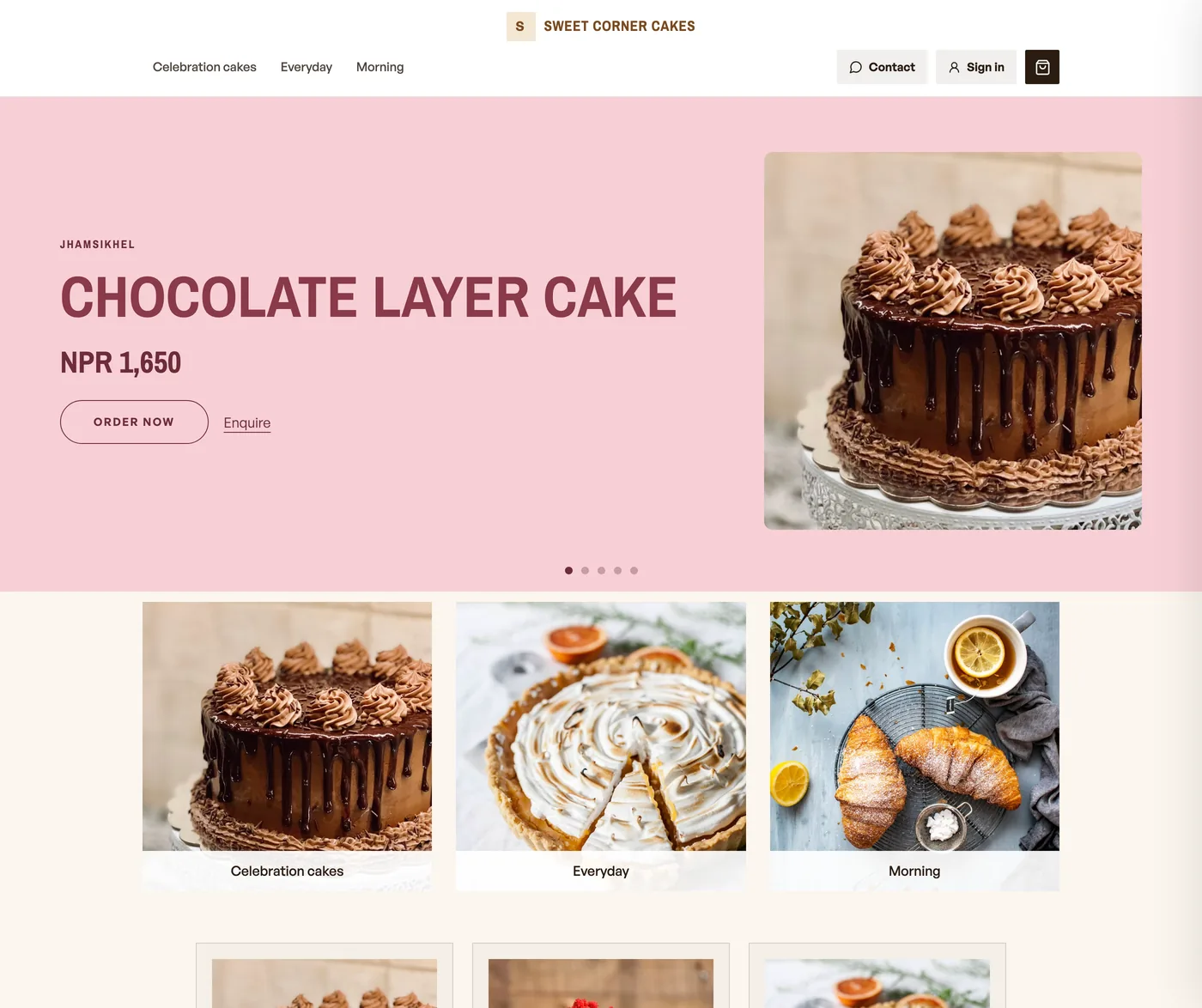
- They open your link or scan your QR.
- Your catalog opens, styled in your brand colours.
- They browse by category. Add opens a sheet with the photograph, the price, and any size, colour or amount to choose. Add to bag on the sheet is what fills the bag, see When Add asks the shopper to choose.
- The bar says View bag, which only opens the bag. Checkout is the button inside it.
- They choose delivery or pickup if you offer it, enter a phone number, and can sign in to a Pasal account to keep their orders and tickets together.
- They place the order. It appears on your board, and they can follow status updates.
A guest who scanned a table QR is a sitting, not a takeaway. The bag says Send to kitchen, they pay when they leave, and About us is hidden so Home cannot drop the table. See table ordering.
See the customer side in the demo shop, and switch to the owner view to watch orders arrive.
Read next
- When Add asks the shopper to chooseAdd opens a sheet on every product: the photo, the price, and any size, colour or weight to choose. Nothing is bagged until they press Add to bag.
- Let dine-in guests order from the tableA QR on every table: guests scan, order to that table, and it reaches your board labelled Table 4.
- Manage your catalogAdd products, photos, prices, and take items off the shelf when you are out of stock.
Still stuck? Message usTell us what is happening and we will reply, usually the same day.
WhatsApp usOr email support@pasal.studio