Help · Orders & fulfilment
Deleting the orders you made testing
Clear the practice orders out of your takings without touching a real sale.
Almost everybody tries their own shop first: you buy something from yourself, or get a ticket to your own event, just to see what a customer sees. Those practice orders then sit in your takings and your reports like real ones. The three-dot menu at the end of an order row has Delete at the foot of it, and that throws one away for good. On the Bills tab it is the small bin at the end of the row.
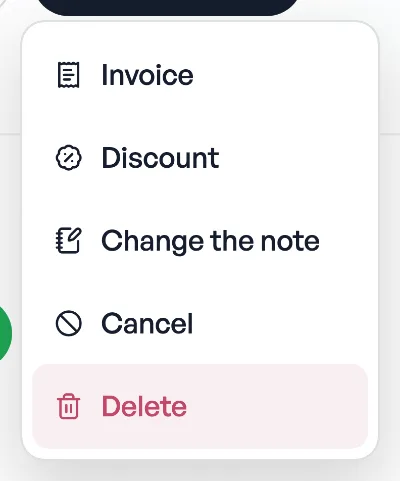
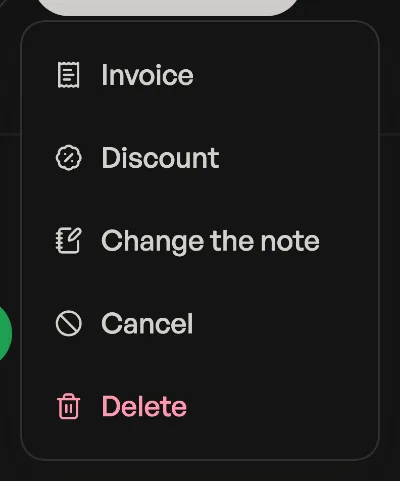
- It is not Cancel. Cancelling keeps the row and marks it void, which is the honest record for a real order that fell through. Deleting removes it as though it never happened, which is only right for an order that never was one.
- Tickets go with it. Deleting a ticket order destroys every ticket it made, so those codes stop working at the door. That is the point for a test, and the reason to be careful with a real sale.
- Your reports change. If the order was marked paid, its money leaves your revenue, your analytics and your Bills export.
- Only you can do it. Staff you have invited can run the counter, but they cannot delete an order.
An order with a tax invoice number cannot be deleted
If your shop has a PAN on file, every order you mark paid is given a number in a series that counts up with nothing missing. Pasal will refuse to delete one of those, and tells you why. Cancel it or refund it instead: both keep the row, and a hole in the middle of the series is the exact thing the numbering exists to prevent. See Tax invoice numbers.
A practice order almost never has one. The number is only given when money is marked in, so a test order you never marked paid deletes cleanly.
Pasal asks you to confirm and tells you exactly what is about to go. There is no undo afterwards, so if you are unsure whether an order was real, cancel it instead: it stops counting as a sale either way.
- Tax invoice numbersFill in your PAN and every paid order gets a numbered tax invoice, counting up from 1 each Shrawan.
- Managing orders on your boardMove tickets through fulfilment, collect payment, and keep the board tidy.
- Take bookings and reservationsLet customers reserve a table or a slot, and manage them on the Bookings tab.