Help · Your shop online
Customer accounts, past orders and receipts
Your customers can sign in to find their orders, tickets, bookings and receipts.
There is a Sign in pill at the top of your storefront. A customer enters their email, gets a six digit code, and that is the whole login: no password, ever. Once the code is in they land on their own page at your shop, not a panel over the shelf.
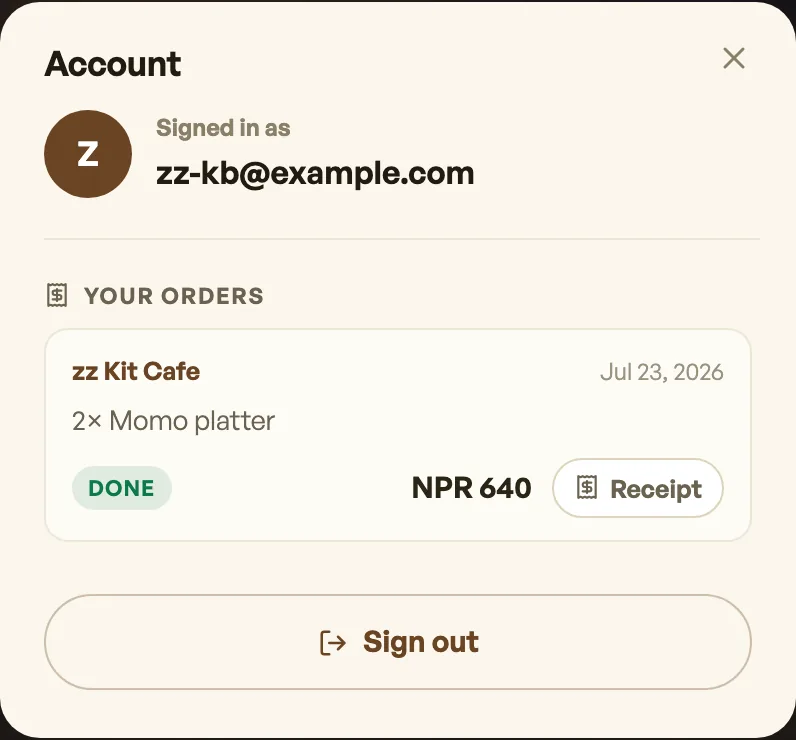
That page shows what they have bought from you: their orders, and their tickets or bookings if you sell those. If loyalty is on they also see their pass, in the Apple Wallet and Google Wallet shapes, with recent points from paid orders, and they can add the real card to Apple Wallet or Google Wallet. The login is one Pasal account and works at every Pasal shop, but each shop's page shows only its own, so nothing a customer bought elsewhere is on display over your counter. Ticket codes link straight to the live ticket page with its QR, so nobody has to dig through their email at the door.
Receipts
Every order carries a Receipt button that opens the same itemised receipt you print, with your shop's tax details, the lines, any discount, service and VAT. They can save it as a PDF themselves.
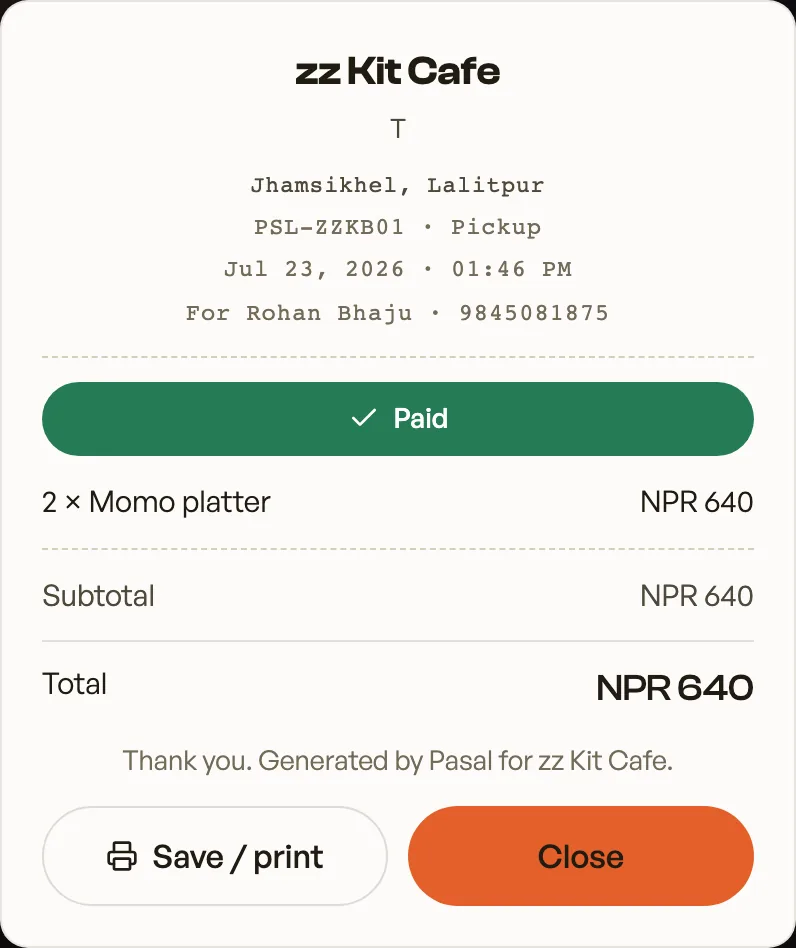
They also have one already: every order email now arrives with the receipt attached as a PDF, so most customers never need to sign in to find it. See The PDF receipt your customer keeps.
Nothing here needs setting up and nothing shows another shop's data to you: an account only ever returns that customer's own rows, matched on the email they signed in with.
- The PDF receipt your customer keepsEvery order now emails a proper receipt the customer can print, file, or hand to their accountant.
- Make the shop look like yoursTemplate, colours, logo, hero photo, and the order of the page, all from the Design tab.
- Write your shop policyReturns, delivery rules and terms, shown on your site without sending customers anywhere else.