Help · Your shop online
Your About us page
Tell your shop's story on a page of its own, with every way to reach you.
Every shop gets an About us page at your-shop/about, in your own colours, with your logo, your story and a grid of ways to reach you.
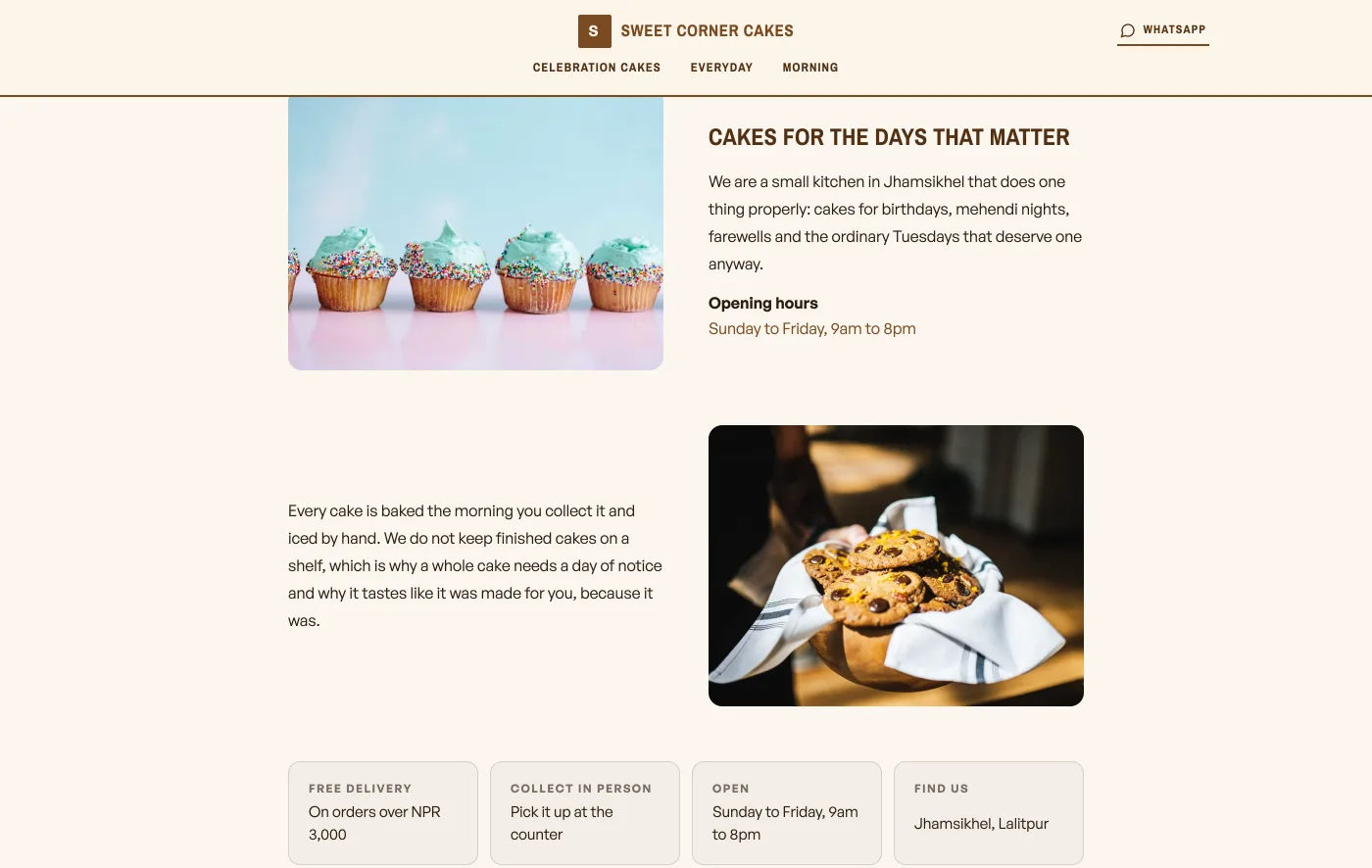
- Open Design. Under Homepage structure, tap About & contact, and its panel opens beside your shop. Fill in the Page heading, then the Words for Section 1 and Section 2: the opening part, then one more thing worth knowing. Each section is one paragraph, so a blank line inside a Section box is closed up. Anything else goes in More about you further down, where a blank line does start a new paragraph.
- In the same panel, Section 1 and Section 2 each carry a Photograph slot with Upload a photo. The first sits beside your opening words, the second further down beside your second part, and Section 2's slot opens only once Section 1 has a picture. Show the workshop, your people, the street outside. Leave a slot empty and the page borrows your hero photo, or failing that a picture from your catalog, and tells you which. Photographs from before this panel existed sit under Photos your page does not show, with a button to move one into section 2.
- The contact grid builds itself from Shop profile, Shop details: opening hours, address, WhatsApp, phone and Instagram. Whatever you have filled in shows up.
The page also builds a row from your catalog, one photo per category, headed in your trade's own words: What we serve for a cafe, What we bake for a bakery, What we make otherwise. It needs two or more categories to appear. Under it sits a row of promises from your delivery, pickup, hours and address settings, which needs three of those filled in. Neither asks anything else of you.
Your storefront shows the first paragraph with a More about us link, so the shop stays about shopping and the story lives on its own page.
Your footer

The footer carries the same links: About us, plus Terms and Privacy once you write them.
- Make the shop look like yoursTemplate, colours, logo, hero photo, and the order of the page, all from the Design tab.
- Write your shop policyReturns, delivery rules and terms, shown on your site without sending customers anywhere else.
- Add Instagram and social linksPut your Instagram, TikTok or other profiles in your storefront footer.